Author and promote workspace policies
Not included in DVARA Open Source.
Earlier releases restricted a workspace to a static allow/deny list set by the operator; 1.7.0 removed that split.
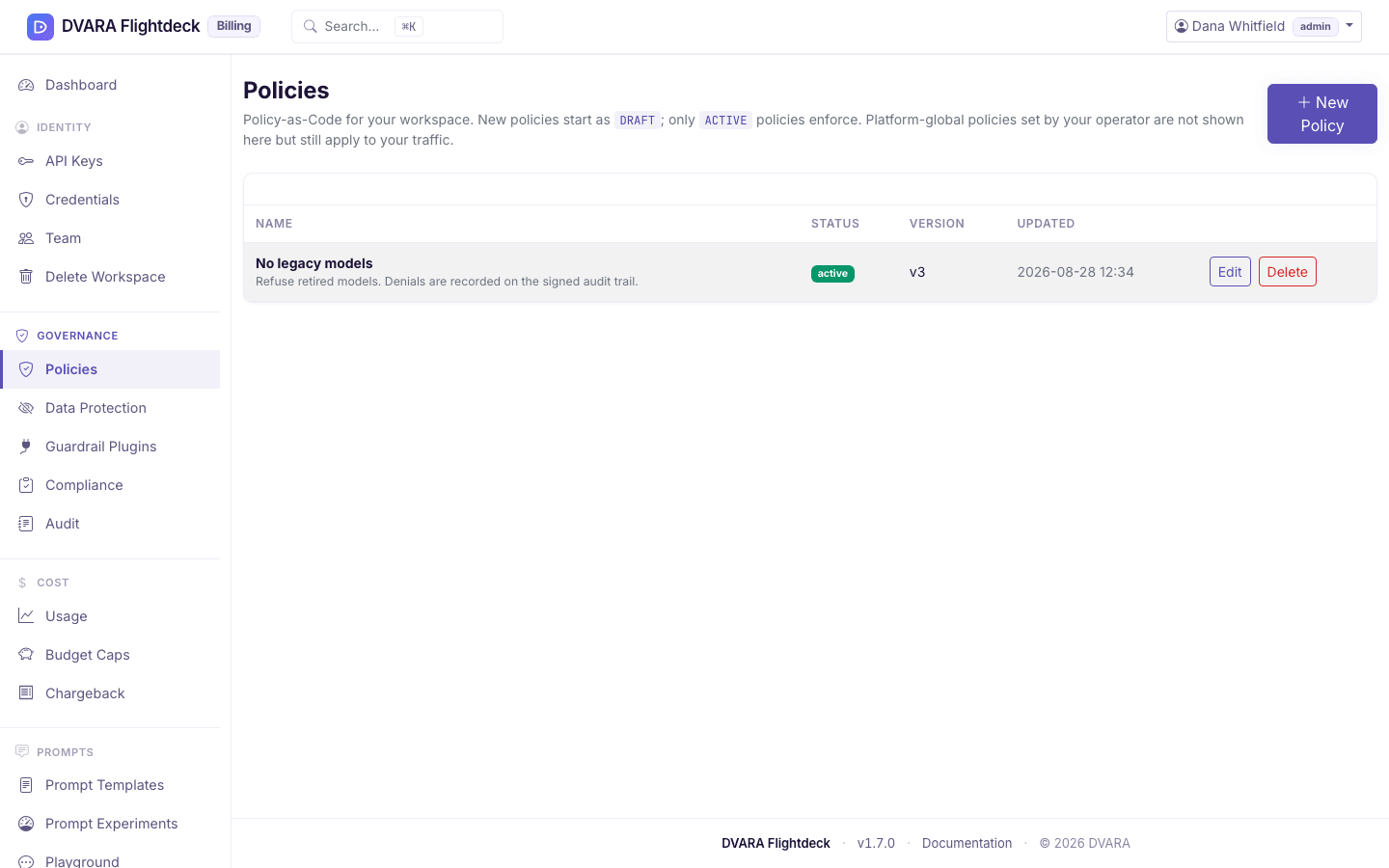
Policy-as-Code is the governance lever that decides — per request, per model, per workspace — what calls are allowed, what is blocked, and what is downgraded. Your workspace owns its own policies; nothing you write here affects another customer's traffic, and the operator's platform-wide policies stay out of your way.
Sign in as a workspace admin and check that System Status shows Operational. Developers and viewers can read the workspace's policies but cannot create, change, dry-run or promote them. Active and shadow policies take effect on the next data-plane request.
Draft a policy in YAML
- Open Governance → Policies in Flightdeck and select New Policy.
- Give the policy a name (e.g.
block-pii-output), a one-line description, and write the rules in the YAML editor. The editor has syntax highlighting and validates structure as you type. - Submit. The policy starts as
DRAFT— it is saved and visible in the list, but it does not affect traffic.
The YAML is compiled at submit time, not when the policy is later activated. Unknown keys (condition: instead of conditions:, workspace: as a per-rule condition), unknown actions (action: warn or action: shadow instead of WARN_AGENT / DENY), and malformed YAML keep the form open with Failed to create policy: … (or Failed to update policy: … on an edit). The compiler message points to the offending key or rule, and the policy is not saved.
Two distinctions worth keeping in mind while authoring:
workspace:is not a per-rule condition. Policies are workspace-scoped at the entity level — every policy you create here is automatically scoped to your workspace. There is noconditions: { workspace: X }syntax.SHADOWis not a per-rule action. It is a policy-lifecycle status — flip the whole policy fromDRAFTtoSHADOW(below) to observe its decisions on real traffic without blocking. Rules accept exactly two actions:DENYandWARN_AGENT(case-insensitive).
A minimal policy looks like this:
version: "1"
rules:
  - id: only-approved-models
    priority: 10
    conditions:
      model:
        allowlist: [gpt-4o, gpt-4o-mini, claude-sonnet-4-5]
    action: DENY
    deny_message: "Model not on the approved list"
Every rule has an id, a priority (lower number = higher precedence, default 100), a conditions block that matches request attributes (model, max_tokens, tools, data_residency, time_of_day, MCP server / tool / args, budget utilization), and exactly one action — DENY or WARN_AGENT. A denial returns deny_message; a warning allows the request, sets X-Policy-Warning: true (and X-Budget-Warning: true when the rule tests budget use), and records warn_message in audit evidence. Conditions on model use allowlist or denylist. Rules evaluate in priority order; the first matching DENY returns immediately, while WARN_AGENT rules collect their warnings and continue.
Use the policy condition reference for exact shapes, missing-value behaviour, and complete model, token, tool, residency, budget, and MCP examples.
Use CEL for conditions that need logic
For patterns that the closed-form matchers above can't compose — anything that needs OR, NOT, or arithmetic across fields — author the rule with an expression: field instead of conditions:. The value is a CEL (Common Expression Language) string that's compiled and type-checked at submit time. CEL is the same expression language Kubernetes admission policies, Envoy, Cilium, and gRPC use for the same problem class — sandboxed by construction (no I/O, no host calls, no loops), deterministic, and type-checked at compile.
version: "1"
rules:
  - id: gpt4o-outside-eu-or-large-requests
    expression: |
      request.model == "gpt-4o" &&
      (context.region != "EU" || request.message_count >= 50)
    action: DENY
    deny_message: "gpt-4o restricted outside EU or for >= 50 messages"
That same pattern in the closed-form conditions: would require three rules. With expression:, it's one.
Evaluation context (closed surface):
| Variable | Type | Meaning |
|---|---|---|
request.model | string | The requested model name |
request.workspace_id | string | The workspace resolved from the API key, stamped by the gateway (empty when the call has no workspace). |
request.message_count | int | Count of messages on the request |
request.total_input_chars | int | Sum of message-content character lengths (coarse size proxy that doesn't expose the actual text) |
request.metadata[key] | map<string, string> | Per-request metadata |
context.region | string | The gateway pod's own region (empty when unset) |
context.workspace_region | string | The workspace's own home region, resolved by the gateway from the workspace record — not from anything the caller sends. Empty when the workspace has no region set, when there is no workspace, or when no workspace repository is configured; since rule actions are DENY and WARN_AGENT only, a residency rule of the form context.workspace_region != "eu-west-1" therefore fires on an empty value — an unresolvable region refuses rather than silently permitting. |
budget.utilization_pct | int (0–100) | Tightest budget cap's utilization at evaluation time |
The Type column shows the runtime type. At the CEL type-checker level, every request.* / context.* / budget.* field is declared as Dyn — the v1 evaluation surface uses dynamic typing so the surface can evolve without breaking compiled policies. The practical consequence: when you call a CEL string method on one of these fields, cast first with string(...). request.model.startsWith("gpt") will fail at compile with "no matching overload for startsWith applied to Dyn"; string(request.model).startsWith("gpt") compiles. Equality (==, !=), comparison (<, >, in, indexing m["k"]) work without a cast.
Plus the CEL standard library: string methods in receiver form — s.startsWith(t), s.endsWith(t), s.contains(t), s.matches(regex) — list/map indexing, the in operator, comprehensions (xs.all(x, …), xs.exists(x, …)). Use the receiver form, not the free function form — the CEL library used here only registers receiver-style overloads for the string methods, so matches(s, regex) fails to compile and s.matches(regex) is the working shape.
Rules to author by:
expression:andconditions:are mutually exclusive on the same rule. Specifying both fails validation. Specifying neither also fails — a matcher-less rule is almost certainly an authoring mistake.- Compile-time validation is strict. Bad CEL syntax, references to undeclared variables (
mystery_var.foo), and type mismatches all fail submit with the rule id + CEL diagnostic. Test in the dry-run panel first. - Cast
Dynfields before calling string methods.string(request.model).matches("^gpt-.*$"), notmatches(request.model, "^gpt-.*$"). See the note above the stdlib list. - Static conflict detection is skipped for CEL rules. Equivalence between two arbitrary CEL expressions is undecidable in general, so the conflict detector emits one "skipped — verify manually via dry-run" warning per CEL rule in the Activation approval panel. Non-CEL rules in the same policy still get checked the normal way.
- Temporal functions (
now(),hour(ts, tz)) are not available. For time-of-day deny windows, use the closed-formtime_of_day:matcher (underconditions:) instead.
Test a policy with dry-run
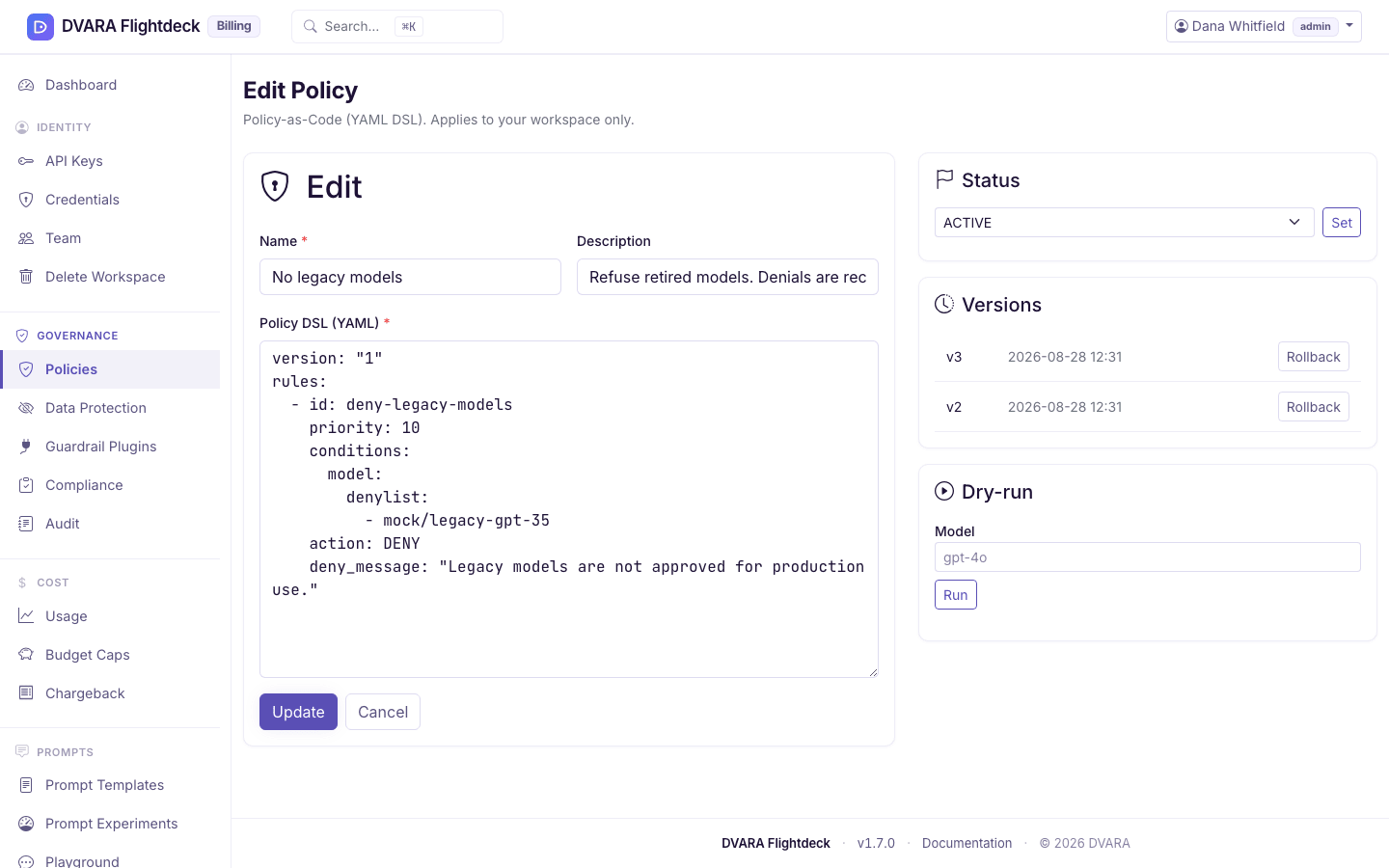
The dry-run panel builds one synthetic request and forces the workspace context to your signed-in workspace. It does not store the request or call an upstream model.
From 1.10.0 the panel has an input for every condition a policy can use: the prompt, max tokens, the tools offered, the region, a time (UTC), the budget used, the MCP server, tool and arguments, the end user and tags. The result is ALLOWED, DENIED, ERROR or INCOMPLETE, with the deciding rule, what was evaluated and the evaluation time. INCOMPLETE means the policy uses a condition you gave no input for, and the result names it. A time_of_day rule is judged at the simulated time you enter; live traffic is judged at the current time.
Up to 1.9.0 the panel sent only a model and one message, so a policy on max tokens, tools, region, time, budget or MCP was judged against a request that could not show the case.
Ship to SHADOW for safe observation
A SHADOW policy evaluates on real traffic but does not block anything. Each divergence records the request ID, model, workspace, matching rule, and would-be decision without storing prompt content. Review enough representative traffic to decide whether the policy behaves as intended.
To ship to SHADOW: open the policy, change status from DRAFT to SHADOW, submit. It now evaluates alongside your active policies on every matching request, silently.
Promote SHADOW to ACTIVE
When the shadow data tells you the policy is right:
- Open the policy's edit page. Check the affected scope and any overlap warnings in the Activation approval panel.
- Enter why the policy should enforce live traffic and select Request activation. Sign in again first if your last sign-in was more than 10 minutes ago. Flightdeck writes
POLICY_ACTIVATION_REQUESTED. - Ask a different policy manager to review the exact policy version. They can decide on the same policy page, or open Agents → Approvals and find it under Governance requests. They enter a decision reason and select Approve and activate or Deny.
- Their approval activates that version at once and writes
POLICY_ACTIVATION_APPROVED; you have nothing more to do. A denial writesPOLICY_ACTIVATION_DENIED. From the next request, denials produce HTTP403with the rule'sdeny_message, whileWARN_AGENTkeeps the normal response and setsX-Policy-Warning: true.
The request expires after 15 minutes. If the policy changes after you request
approval, Flightdeck refuses to activate the stale version. Review the new
version and submit a new request. While the request is pending you can select
Withdraw request (POLICY_ACTIVATION_WITHDRAWN). The Promote to Active
button on the shadow dashboard does not activate anything; it only points you
back to the Activation approval panel. See Govern sensitive changes with
approvals for the full
lifecycle and audit evidence.
To turn an ACTIVE policy off, open it, choose the new status (DRAFT, SHADOW or ARCHIVED) under Turn off this policy, give a reason, and select Request approval. To delete it, give a reason and select Request deletion. Editing or rolling back an ACTIVE policy is held for approval the same way, because both stop its enforcement. Flightdeck writes SENSITIVE_ACTION_REQUESTED. A different policy manager approves or denies it under Governance requests (SENSITIVE_ACTION_APPROVED or SENSITIVE_ACTION_DENIED). Then you select Apply approved change on the policy page (for an edit, save it again). Only you can apply it, once, within 15 minutes of the request.
Roll back to a previous version
Every save creates a new version (your last 10 versions are kept). To roll back: open the policy, find the version in the Version History panel, select Rollback, and confirm (Diff shows what would change). The current version is replaced with the chosen one, the version counter increments, and the change is audited.
Respect the workspace boundary
By design, workspace roles cannot:
- See or edit another customer's policies — they are simply not in the list.
- See or edit the operator's platform-wide policies — they apply to your workspace but are managed by whoever runs DVARA. If a platform policy is denying calls you think it should not, escalate to your operator; they have their own change-control around it.
- Stamp a different workspace id on a policy you create — every policy you author is automatically scoped to your own workspace.
Verify changes in the audit trail
Every mutation on this page lands in the audit log:
| Action | Audit event |
|---|---|
| Create a policy | POLICY_CREATED |
| Update a policy | POLICY_UPDATED |
| Change status | POLICY_STATUS_CHANGED (carries the new status in detail) |
| Request activation | POLICY_ACTIVATION_REQUESTED |
| Approve, deny or withdraw an activation request | POLICY_ACTIVATION_APPROVED, POLICY_ACTIVATION_DENIED, POLICY_ACTIVATION_WITHDRAWN |
Request, approve and apply a change to an ACTIVE policy | SENSITIVE_ACTION_REQUESTED, SENSITIVE_ACTION_APPROVED (or _DENIED), SENSITIVE_ACTION_EXECUTION_STARTED, SENSITIVE_ACTION_EXECUTED, then the policy event |
| Roll back to a previous version | POLICY_ROLLED_BACK (carries v<n> in detail) |
| Delete a policy | POLICY_DELETED |
Data-plane decisions write their own events: POLICY_DENIED when an active policy blocks a call, POLICY_SHADOW_DENY when a shadow policy would have denied. Filter the audit log by these events to read what your policies have actually done.